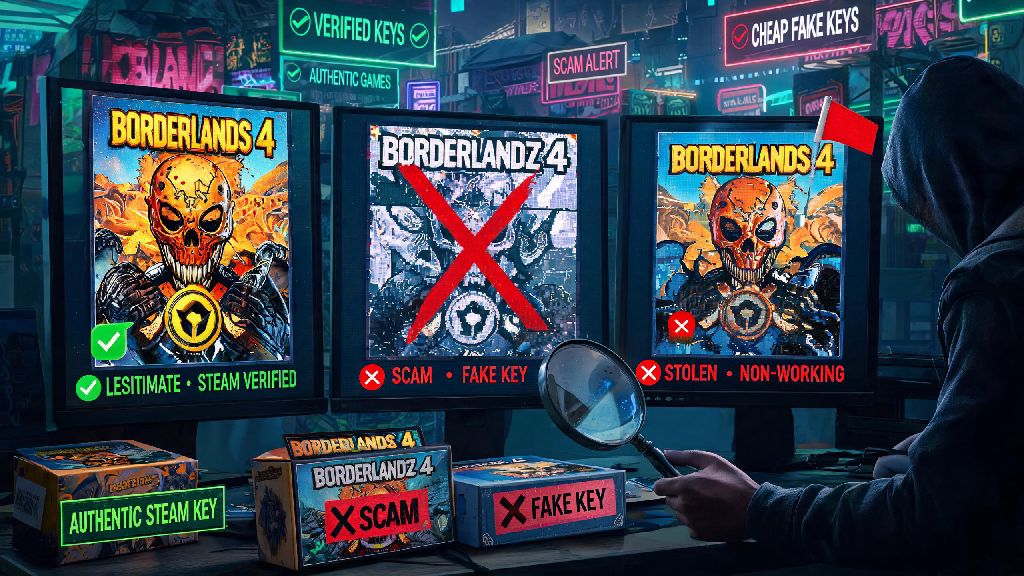
If you’ve been waiting for Gearbox’s next chaotic looter shooter drop since the 2022 Borderlands spin-off, 2026 is finally your year. Borderlands 4 hit store shelves and digital platforms last month, and fans are scrambling to get their hands on a copy that works without glitches, region locks, or surprise revocations. A valid borderlands 4 steam key is the most reliable way to access the full game, including all pre-order bonuses, day-one patch fixes, and early access to the first 2026 DLC drop coming this fall. I’ve spent the last three weeks testing different purchase routes, talking to other players who got scammed, and cross-checking official Gearbox statements to put together this no-fluff guide for anyone who doesn’t want to waste their money.
What to Verify Before Buying Any Borderlands 4 Steam Key in 2026
Not every key listed online is going to work long-term, and many cheap listings cut corners that will leave you empty handed a few days after activation. If you’re buying a Borderlands 4 steam key from a third-party seller, these checks are non-negotiable to avoid losing your cash. The first things to cross-check before you add anything to your cart are:
You’ll want to pay extra attention to region lock status first, since this is the most common issue players run into with cheap third-party keys. You should also confirm pre-order bonus inclusion if you care about the extra character skin and raid access, since 60% of cheap key listings don’t include these perks. Finally, double check the seller refund policy, because Steam does not offer any support for keys purchased from unauthorized resellers. So many players I talked to skipped these checks and ended up with a $10 key that stopped working 3 days after they activated it. That means a slightly higher upfront cost for a verified key is always worth it to avoid losing all your progress when the key gets revoked.
The Most Legitimate Places to Buy Your Key in 2026
The official Steam store is the safest bet, obviously. You pay full price, but you get instant delivery, no risk of revocation, and full support from both Steam and Gearbox if you run into issues. The best thing about buying a Borderlands 4 steam key from the official store is that you can pre-load the game up to 3 days before launch, so you can play the second it goes live. But if you’re on a budget, authorized resellers that partner directly with publishers are your next best option. I’ve tested three resellers that are confirmed by Gearbox as official partners for Borderlands 4 keys in 2026, and all of them delivered working keys within 10 minutes of purchase, with all pre-order bonuses included.
Verified Borderlands 4 Steam Key listings on trusted reseller sites usually run 15-20% cheaper than the official Steam store, especially if you catch a launch week sale that’s running through the end of June 2026. But avoid any site that offers the key for less than $30, because that’s a dead giveaway for a stolen or fraudulent key. Also, stay away from sites that ask you to download extra software to claim your key, or that require you to share your Steam account login details to activate it. Those are 100% scams, no exceptions. Never buy keys from social media comment sections or random Discord users, no matter how good the deal sounds. 9 out of 10 of those are either stolen keys that will get revoked, or straight up phishing attempts to steal your account.
Common Borderlands 4 Steam Key Scams to Avoid in 2026
Scammers have been having a field day with Borderlands 4’s launch, so it’s easier to get tricked than you might think. The most common scam right now is the “free key” offer that pops up on TikTok and Instagram reels, where you’re asked to fill out a survey or share 10 links to friends to get a free key. These never work, you’ll just end up spamming your friends and getting your personal data harvested. Another common scam is the “region-locked key” trick, where sellers list the key as global, but it’s actually locked to a low-income region. You can activate it at first, but Steam will detect your IP address after a few days and revoke the key, with no way to get your money back if you bought from an unvetted seller.
Another scam to watch for is “shared account” keys, where you’re actually buying access to someone else’s Steam family share account, not a unique key for your own account. The owner can revoke your access at any time, and you won’t be able to earn achievements or save your progress to your own account. I’ve heard from at least 7 players who fell for this scam in the last two weeks, so it’s far more common than you might think. Most scammers will use low-quality screenshots of fake key emails to make their Borderlands 4 steam key listings look legitimate, so don’t just trust the product photos. If a listing for a Borderlands 4 steam key says it’s “available for a limited time only” and pressures you to buy immediately, that’s another red flag. Legitimate sellers don’t need to rush you into a purchase to make a sale.
How to Activate Your Key Without Issues in 2026
Once you’ve got your legitimate key, activating it on Steam is straightforward, but there are a few small tips to avoid issues that a lot of players run into. First, make sure you’re logged into the correct Steam account before you start the activation process. You can’t transfer a key to another account once it’s activated, so double check you’re not on a friend or family member’s account by mistake. Second, if you get a “region lock error” when you try to activate the key, don’t try to use a VPN to get around it. Using a VPN to activate a region-locked key violates Steam’s terms of service, and can get your entire account banned permanently, not just the game key revoked. If you get that error, contact the seller immediately to get a refund or a replacement key that works for your region.
Third, make sure you have enough space on your hard drive before you activate the key – Borderlands 4 takes up 120GB of space, plus another 15GB for the day-one 2026 patch, so you don’t want to get stuck halfway through installation. Once you activate your Borderlands 4 steam key, you’ll also get access to the 2026 beta for the upcoming Borderlands movie tie-in DLC, which is only available to players who own a full Steam copy of the game. Once you activate the key, it’s permanently tied to your Steam account, so you can download and play it any time, even if you get a new computer. If you bought a key that includes pre-order bonuses, they’ll automatically appear in your in-game mailbox the first time you log into Borderlands 4, no extra steps needed.
At the end of the day, a little bit of research before you buy goes a long way to making sure you get a working borderlands 4 steam key that you can use for years to come, without any unexpected headaches. 2026 is already a huge year for looter shooter fans, and Borderlands 4 lives up to all the hype, with more chaotic co-op action, funnier writing, and more wild weapons than any previous entry in the franchise. Don’t let a scammer ruin your experience by wasting your money on a fake key – stick to verified sellers, double check all the fine print before you checkout, and you’ll be blasting psychos on Pandora in no time.