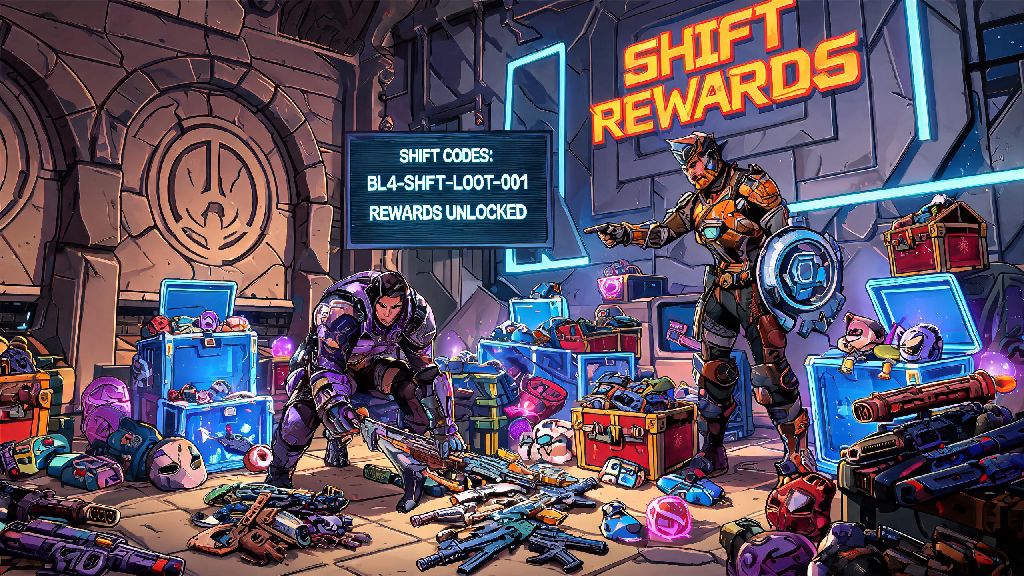
If you’ve spent any amount of time playing the Borderlands franchise over the last 15 years, you already know how game-changing SHiFT codes can be for kickstarting your Vault Hunter’s journey. I’ve sunk thousands of hours into every mainline entry, and the first thing I look for whenever a new title drops is a fresh set of active codes to stock up on useful rewards. The shift borderlands 4 system builds on everything players loved about the old tool, with way more flexibility and better rewards that fit every playstyle, whether you prefer solo runs or chaotic four-player co-op.
How Shift Borderlands 4 Differs From Previous SHiFT Systems
Older SHiFT systems for Borderlands 2 and 3 only really offered golden keys, occasional cosmetic skins, and very rare legendary gear drops that were often locked to a low level, making them useless a few hours into your playthrough. Gearbox listened to years of player feedback to fix those pain points for the latest entry, and the improvements are immediately noticeable if you tested the beta or played the early access version. All Shift Borderlands 4 rewards now scale to your current character level, so you can redeem codes at any point in your playthrough and get items that are actually useful for your progress.
Another big change is that you no longer have to redeem codes on a specific platform first to use them across linked accounts. If you play the game on both PC and PS5, for example, you can pick which platform to send your rewards to after you enter the code, instead of being stuck with the reward on only one device. The system also now tracks all past codes you’ve redeemed across the entire franchise, so you don’t have to keep a spreadsheet of used codes like a lot of long-time fans did for earlier games. The only small downside I’ve noticed so far is that server lag during big launch windows can delay rewards hitting your mailbox by 10 to 15 minutes, so don’t panic if you don’t see your loot right away.
Step-by-Step Guide to Redeeming Shift Borderlands 4 Codes
Redeeming codes is straightforward even if you’ve never used the SHiFT system before, and the process works exactly the same across all platforms including PC, PlayStation, Xbox, and Switch. You don’t need a paid subscription to any platform service to redeem codes, either, which is a nice bonus for players who don’t pay for online play. Follow these simple steps to claim your rewards in minutes:
Codes typically have an expiration window of 7 to 30 days from their release date, so it’s always best to redeem them as soon as you find them instead of saving them for later. I’ve made that mistake too many times with past Borderlands games, and lost out on limited edition skins that never got re-released. If a code doesn’t work, double check that you haven’t already redeemed it on your account, and that it’s not expired before reaching out to support.
Top Rewards You Can Unlock With Shift Borderlands 4 Codes
The new system has a way wider range of rewards than any past SHiFT iteration, so there’s something useful for every type of player, from casual players who only play a few hours a week to hardcore players who grind for 100% completion. The most common reward is still golden keys, which unlock the golden chest in the main hub area that guarantees at least one rare or higher tier item every time you open it. Golden keys are perfect for getting a quick gear upgrade when you hit a wall with a tough boss fight.
Limited edition legendary weapon skins and character cosmetics are the most sought-after rewards for a lot of fans, since many of these skins are never made available through in-game gameplay or paid DLC. I’ve already redeemed a code for a neon pink Vault Hunter skin that I haven’t seen available anywhere else in the game, and it’s become my go-to look for my main Siren character. There are also special limited-time rewards given out during events like launch week, gaming conventions, and Gearbox community streams, so it’s worth following official Gearbox social media accounts to catch those drops.
For players who love co-op play, there are also special team buff codes that give your entire party a 20% boost to experience gains, loot quality, and cash drops for two full hours. Co-op buff codes stack with in-game experience boosters for even faster progression, so you can grind levels extremely fast if you combine them. The rarest rewards are special permanent unlocks like extra storage space for your vault, or early access to new Vault Hunter classes before they’re released to the general public.
Common Mistakes to Avoid When Using Shift Borderlands 4
Even though the system is pretty user-friendly, there are a few common mistakes that new players make all the time that cost them valuable rewards. The biggest mistake I see is players hoarding all their golden keys until they hit max level, waiting to get endgame gear. This is a total waste of time now that rewards scale to your level, because using keys during the early and mid game will help you level up faster, so you’ll hit max level much sooner than if you struggled with weak gear the whole time.
Another big mistake is using untrusted third-party websites that claim to give away unlimited SHiFT codes or free legendary gear. Most of these sites are phishing scams designed to steal your SHiFT account login information, or install malware on your device. Only get codes from official Gearbox social media accounts, verified community partners, or in-game announcements to keep your account safe. Gearbox will never ask you for your account password to give you a code, so any site that asks for that is definitely a scam.
The last common mistake is forgetting to link all your gaming platforms to your SHiFT account. If you play the game on multiple devices, linking all your accounts lets you pick where to send your rewards every time you redeem a code, so you don’t have to create multiple SHiFT accounts or miss out on rewards when you switch platforms. It only takes a minute to link a new platform in your account settings, and it saves you a ton of hassle later on.
That’s really all there is to making the most of the system. The shift borderlands 4 tool is designed to reward long-time fans with extra goodies that don’t break the game’s balance, so you don’t have to worry about it ruining the fun of grinding for rare drops or beating tough bosses on your own. If you check for new codes once or twice a week and redeem them as soon as they drop, you’ll have a steady supply of useful loot and buffs to make every playthrough feel fresh, no matter how many times you beat the main story.