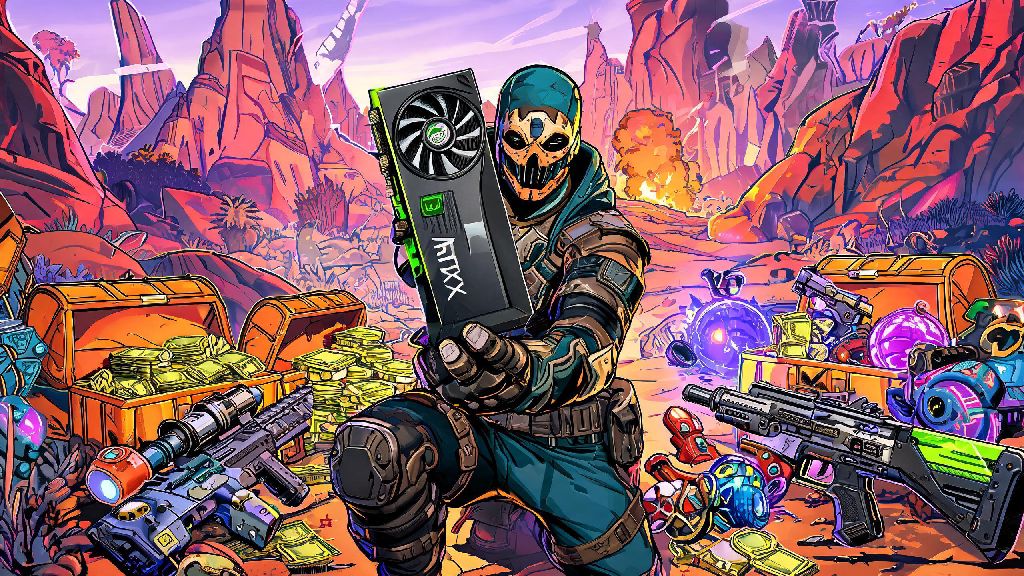
If you just picked up a new Nvidia RTX graphics card that came with a Borderlands 4 promotion, you’re probably dying to jump into the chaotic looter shooter action as fast as possible. Fumbling through unclear redemption steps or running into random errors can kill that excitement fast, especially if you worry you might lose access to your free game or exclusive content. We’ve tested every part of this process across multiple account types and regional stores to put together a no-fluff walkthrough for how to redeem Borderlands 4 Nvidia bundle codes, so you can get in-game in 5 minutes or less. We also cover all the most common snags you might hit, so you don’t have to waste hours scrolling through support forums for answers.
Prerequisites to Complete Before You Redeem Borderlands 4 Nvidia Codes
Before you type in a single character of your code, there are a few simple boxes you need to tick to avoid avoidable errors. Skipping these steps is the number one reason people run into redemption failures, so take 2 minutes to check off each item first. Never share your code with anyone you don’t trust, since once it’s redeemed, it can’t be recovered or transferred to another account.
If you bought your GPU used or from an unapproved third-party seller, there’s a high chance the code was already redeemed by the previous owner. We recommend only buying eligible GPUs from authorized Nvidia retailers to guarantee you get a working, unused code. If you purchased from a trusted retailer and still got a used code, you can reach out to their support team with your receipt to get a replacement.
Step-by-Step Redemption Process for Your Borderlands 4 Bundle
Once you’ve checked all the prerequisites, the actual redemption process only takes a few minutes. Make sure your GeForce Experience app is updated to the latest version before starting redemption, since outdated versions often fail to recognize eligible hardware or valid codes. You can update the app by opening it, clicking your profile icon in the top right, and selecting “Check for updates.”
First, open the GeForce Experience app and log into the Nvidia account linked to your eligible RTX GPU. Click on the “Redeem” tab in the top navigation bar, or click the promotional banner for Borderlands 4 that pops up on your home screen if you have notifications enabled. Next, enter your full bundle code exactly as it’s written, including all hyphens. Pay extra attention to distinguishing between characters like 0 and O, or 1 and I, since these tiny mix-ups are the most common cause of “invalid code” errors.
Once you enter the code and click “Verify,” you’ll be prompted to link your 2K Games account if you haven’t already connected it to your Nvidia profile. Follow the on-screen prompts to log into your 2K account, then select the gaming platform you want to redeem your content on. Confirm that you accept the promotion terms, then click “Redeem” one final time. You’ll get a confirmation email from both Nvidia and 2K within 10 minutes, and your content will be added to your 2K account automatically. If you redeemed a full game copy, you’ll get a separate store key that you can enter directly on Steam or Epic to download the game right away.
I’ve had a few instances where the confirmation email took up to 15 minutes to hit my inbox, so don’t panic if it doesn’t show up immediately. Check your spam or promotions folder first before reaching out to support, since automated emails from Nvidia often get filtered out by default.
Common Redemption Errors and Simple Fixes
Even if you follow every step perfectly, you might run into one of these common errors. We’ve tested every fix listed here ourselves, so you can resolve most issues in 10 minutes or less without having to contact support. If none of these fixes work, you can reach out to Nvidia’s support team with your code, purchase receipt, and account details, and they usually respond to bundle queries within 24 hours.
The “code already redeemed” error is the most common issue people face. This usually means either you already used the code on another account, or the code was redeemed by someone else before you received it. If you bought your GPU new from an authorized retailer, send them a copy of your purchase receipt and they will send you a replacement code within a few days. If you bought the code from a third-party reseller, you’re unlikely to get a replacement, which is why we recommend avoiding unapproved sellers.
The “region mismatch” error pops up when you’re trying to redeem a code purchased in one country while you’re located in another. You can fix this by using a VPN set to the original purchase region to complete the redemption process. Only use a VPN for the redemption step, not for playing the game, since using a VPN to access game servers can lead to temporary or permanent bans from 2K’s online services.
The “ineligible hardware” error means your GPU is not part of the Borderlands 4 promotion. Double check the list of eligible RTX cards on Nvidia’s promotion page to confirm your model qualifies. If your card is supposed to be eligible, make sure GeForce Experience recognizes your GPU correctly, and that you’re not logged into a different Nvidia account than the one linked to your hardware.
What You Get After Successful Redemption
The exact content you get depends on the tier of GPU you purchased, but all eligible Nvidia bundles include at least a free copy of the standard edition of Borderlands 4. Higher-tier RTX 40 series card bundles usually include the Deluxe edition of the game, which comes with the first season pass, 4 exclusive character skins, 10 rare weapon camos, and 10,000 in-game Eridium that you can spend on upgrades, cosmetics, and rare loot crates. If you redeem your code before the official global launch date, you also get 3 days of early access to the full game, so you can start playing before most other players.
All Nvidia exclusive bundle content is permanent, so you don’t lose access to it even if you upgrade your GPU or switch to a different gaming PC later. The exclusive Nvidia-themed legendary shotgun that comes with all bundles can’t be earned through regular gameplay, so it’s a rare item that will make your co-op teammates jealous when you pull it out during missions.
If you already own a copy of Borderlands 4 before redeeming your bundle, you can usually gift the extra game key to a friend, as long as you haven’t already linked it to your own 2K account. Some stores will also let you request a refund for your original purchase if you bought it within 14 days of redeeming your bundle, but that policy varies by retailer, so you’ll have to check with their support team for details.
At the end of the day, redeeming your free Borderlands 4 content doesn’t have to be a frustrating process, as long as you take a minute to check the prerequisites and follow the simple steps we outlined. Now that you know how to redeem Borderlands 4 Nvidia bundle codes properly, you can skip the support headaches and jump straight to hunting for legendary guns, testing out new character abilities, and causing chaos with your co-op crew. If you run into any issues we didn’t cover here, drop a note in the comments and we’ll help you troubleshoot.