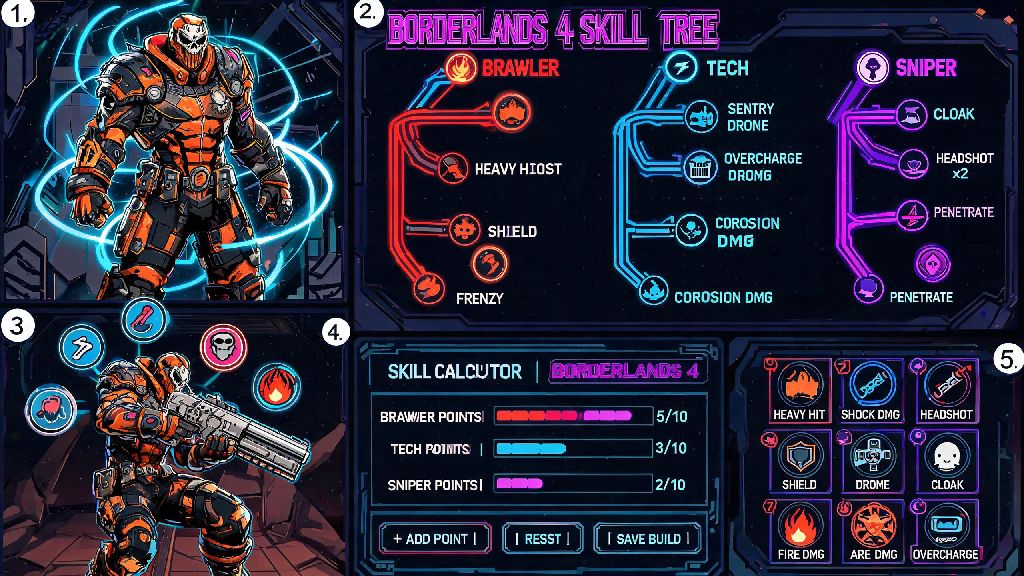
If you’ve spent hours grinding a Vault Hunter in past Borderlands titles only to realize your skill point allocation is holding you back in endgame raids, you know how frustrating wasted respec costs can be. The borderlands 4 skill tree calculator solves this exact problem, letting you test every possible skill combination before you spend a single point in-game. Whether you’re chasing a one-shot sniper build, a support co-op loadout, or a chaotic melee build that clears entire rooms in seconds, this tool takes the guesswork out of build planning.
Key Features of a Reliable Borderlands 4 Skill Tree Calculator
Not all fan-made build tools are created equal, and picking a calculator with the right features will save you hours of headache down the line. A top-tier borderlands 4 skill tree calculator will also let you filter builds by playstyle, so you don’t have to sift through hundreds of irrelevant loadouts to find one that fits how you like to play. You should prioritize tools that offer synergy tracking, which flags when two skills you’ve selected work together to boost damage, survivability, or utility far beyond their individual effects.
Other non-negotiable features include build export options that let you share your finished loadout with co-op partners or post it to community forums, and respec cost estimation that tells you exactly how much in-game cash you’ll need to adjust your build if you change your mind mid-playthrough. The best calculators also roll in real-time patch updates, so any balance changes Gearbox releases are reflected within 24 hours, so you never waste time planning a build that relies on a recently nerfed skill.
How to Use the Calculator to Build for Your Playstyle
Using the calculator is straightforward even if you’ve never planned a build outside of the game before. Start by selecting your chosen Vault Hunter to load their three unique skill trees, each tailored to different playstyles from long-range damage to crowd control support. You can drag and drop skill points into different nodes, and pop-up notes will appear to tell you if a skill works better with specific weapon types or if it conflicts with another skill you’ve already selected.
It’s normal to hit a wall when you’re trying to balance damage, survivability, and utility, especially for endgame mayhem difficulty runs. If you’re stuck figuring out a tricky skill synergy, you can step away for a 5-minute casual game to reset your focus before coming back to tweak your build. Many players in the Borderlands community opt for quick, casual card games in these short breaks, and INR Rummy is a popular pick for users who want a low-stakes, engaging distraction that doesn’t take too much time away from their build planning.
Once you’re ready to get back to your build, follow these simple steps to make sure you’re getting the most out of the tool:
Don’t forget to run through playstyle alignment checks before you lock in your build. If you prefer running headfirst into crowds of enemies, a long-range sniper build that relies on staying back will feel frustrating to play, no matter how high its theoretical damage output is. The calculator lets you swap between different playstyle previews to make sure your build fits how you actually want to play, not just what’s considered meta that week.
Common Mistakes to Avoid When Using the Borderlands 4 Skill Tree Calculator
Even with a great tool, it’s easy to make small mistakes that lead to underperforming builds once you get in-game. The most common error players make is ignoring skill synergy penalties, which happen when two skills you’ve selected actually cancel out or reduce each other’s effects. For example, if you pick a skill that boosts critical hit damage for sniper rifles but also pick a skill that reduces critical hit chance when you’re holding a long-range weapon, your build will underperform despite having high individual skill values.
If you’re using the borderlands 4 skill tree calculator to plan a co-op build, make sure you input your party’s average gear level to get accurate performance estimates. A build that works great for solo play might leave you too squishy for co-op raids, or lack the support skills your party needs to take down high-level bosses. You should also avoid skipping gear-skill interaction checks, which let you input the legendary gear you already own to see how it buffs your build. Many legendary items double or even triple the effect of specific skills, so adjusting your point allocation to match your existing gear can save you hours of grinding for new loot.
Another common mistake is only testing your build against single boss enemies. Most of your playtime will be spent clearing hordes of regular mobs, so make sure your build performs well against both group enemies and single-target bosses. The best calculators let you switch between mob clearing and boss fight test modes to get a full picture of how your build will work in real gameplay scenarios.
How the Borderlands 4 Skill Tree Calculator Improves Endgame Performance
Endgame content in Borderlands 4, from mayhem 10+ runs to 8-player raids, requires tight build synergy to beat, and even small mistakes in skill allocation can make content feel impossible to clear. The calculator lets you test every possible iteration of your build before you invest hours grinding for the right gear or spending thousands of dollars on respecs, so you know exactly what you’re getting into before you step into a raid.
Top Borderlands content creators and world first raid teams use these exact calculators to prep for their runs, so you’re getting access to the same tools the most experienced players in the community use. The mayhem difficulty scaling previews feature is especially useful for endgame players, as it shows you exactly how your build’s damage, shield capacity, and healing will scale as you crank up the difficulty level. You can adjust your point allocation to prioritize survivability for higher mayhem levels, or lean fully into damage if you’re running with a dedicated tank and healer in co-op.
You don’t have to be a hardcore player to benefit from the calculator either. Casual players who only play a few hours a week can use it to avoid wasting skill points on skills they’ll never use, so they can progress through the story and endgame content faster without having to grind extra cash for respecs. Even if you just want to mess around with silly, meme builds that stack as many explosive effects as possible, the calculator lets you test those out without ruining your main save file.
At the end of the day, the borderlands 4 skill tree calculator is one of the most useful tools you can add to your Borderlands toolkit, whether you’re a casual player who wants to avoid wasting respec cash or a hardcore raider chasing perfect build synergy. You don’t have to be a build expert to use it, and the time you save testing builds outside of the game will let you spend more time actually playing and looting the way you want to. Next time you start a new Vault Hunter run, pull up the calculator first to plan your path, and you’ll avoid the frustration of a bad skill allocation half-way through your playthrough.