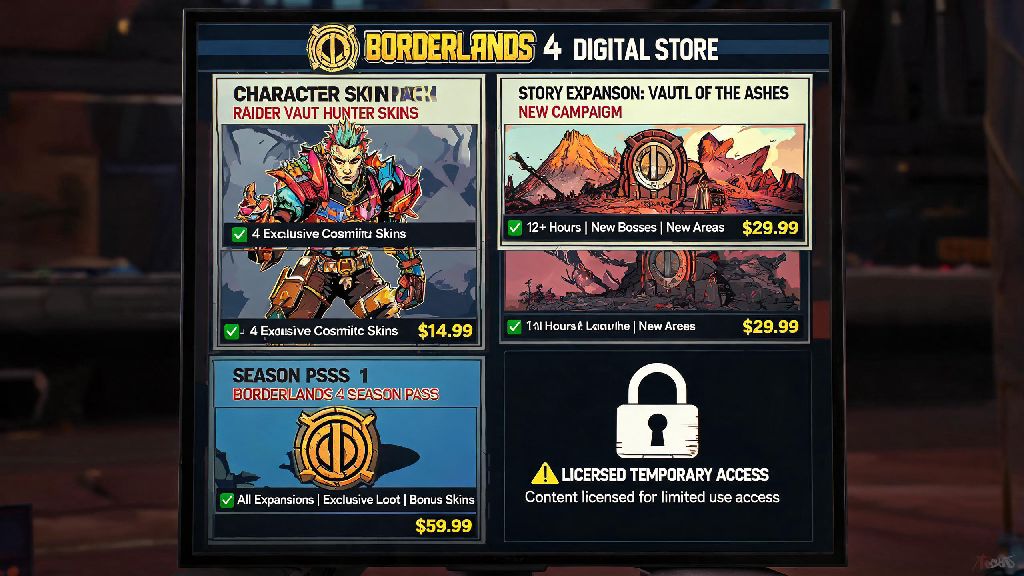
If you’ve bought any downloadable content for Borderlands 4 over the past few months, you might have run into a confusing, frustrating issue when trying to access it after switching platforms or restoring your account. Hundreds of players have taken to forums and social media to vent about losing access to paid season passes, character packs, and story expansions they thought they owned outright. The core of this confusion is the little-known fact that Borderlands 4 doesn't own dlc for any player, even if you paid full price for every add-on released so far. Most of us grew up buying physical game expansions that we could keep forever, so this shift to a licensing model feels unfair to a lot of long-time Borderlands fans.
What It Means That Borderlands 4 Doesn’t Own DLC
When you click “buy” on a Borderlands 4 DLC pack in your platform’s store, you’re not actually purchasing a permanent copy of that content. You’re paying for a limited, non-transferable license to access that content, tied to both your platform account and your Gearbox SHiFT account. This is laid out in the End User License Agreement (EULA) you scroll past and agree to when you first boot up the game, but almost no one takes the time to read the fine print.
I ran into this firsthand last year when I swapped my PS5 for an Xbox Series X to play with a group of friends who all use Microsoft consoles. I’d bought the full Borderlands 4 season pass on PlayStation, and I assumed I could just download the base game on Xbox and access my DLC right away. That didn’t happen. All my expansion packs were locked, and support told me I’d only purchased a license for PlayStation, not a universal copy of the content. It took a week of linking accounts and sending receipts to get access back, which killed the momentum of our group playthrough.
This licensing model isn’t unique to Borderlands 4, of course. Most modern live service games use the same structure, but Gearbox’s cross-platform play setup makes the limits more obvious for players who switch between consoles or PC regularly. Unlike older Borderlands games where DLC was tied directly to your game disc or digital base game copy, all add-ons for the latest entry are controlled entirely by Gearbox’s backend systems.
Common Scenarios Where You Might Lose DLC Access
Losing access to your paid DLC isn’t a rare edge case, either. Thousands of players have reported issues over the past year, and most of them fall into a handful of common, avoidable categories.
The biggest mistake players make is assuming their DLC purchase is tied to their game copy, not their account or platform. I had a friend who bought a used physical copy of Borderlands 4 from a secondhand store, and he thought the previous owner’s season pass would come with the disc. That’s not how it works, and he ended up having to buy all the DLC himself separately, costing him twice what he expected to pay.
Even if you never switch platforms or buy secondhand copies, you can still run into issues if your SHiFT account gets flagged for suspicious activity. A lot of players reported temporary DLC locks last year after a backend glitch flagged regular cross-platform play as potential account sharing. Most of these were fixed within 48 hours, but it’s a stressful experience when you can’t access content you paid for.
Steps to Protect Your Borderlands 4 DLC Access
The good news is that it’s really easy to avoid almost all DLC access issues if you take a few simple precautions when you first set up your game. None of these steps take more than a couple of minutes, and they’ll save you hours of headaches down the line.
Always link your SHiFT account to all platforms you play on as soon as you buy the game. Gearbox designed the SHiFT system specifically to track cross-platform purchases, so linking all your accounts (PlayStation, Xbox, Steam, Epic) to one central SHiFT profile will let you access your DLC on any platform you own the base game on. You don’t have to repurchase anything, and the sync happens automatically once you log in.
Only buy DLC directly from official platform stores or authorized resellers. It can be tempting to grab a 70% off season pass key from a random site you found on social media, but those deals are almost always too good to be true. Gearbox does not offer support for keys purchased from unauthorized resellers, so if your code gets revoked, you’ll have to buy the DLC again at full price to get access back. Authorized resellers are listed directly on the official Borderlands website, so it’s easy to check if a seller is legitimate before you buy.
Keep a digital or physical receipt of all your DLC purchases stored somewhere safe, not just in your platform account’s purchase history. If you ever have to contact Gearbox support to restore lost DLC access, they will ask for proof of purchase first, and platform purchase histories are sometimes wiped if you delete your account or have a payment issue. I keep a folder in my Google Drive with screenshots of all my game and DLC receipts, and it’s saved me multiple times when I’ve had to reach out to support for different games.
If you do run into a DLC lock, don’t panic right away. Most temporary locks resolve on their own within 24 hours, usually after a backend update or server glitch gets fixed. If it lasts longer than that, reach out to Gearbox support with your receipt and SHiFT account info, and they can usually restore access in a couple of business days.
Gearbox’s Official Stance on DLC Ownership for Borderlands 4
Gearbox has addressed the DLC ownership question multiple times in official community Q&As and patch note updates, and they’ve been clear that the licensing model is intentional for this entry. The studio says this structure lets them push out regular free content updates, like new game modes and event rewards, to all DLC owners without charging extra fees. It also lets them patch bugs and balance issues across all platforms at the same time, instead of releasing separate updates for each console and PC store.
There are clear pros and cons to this approach, of course. The upside is that players get more regular free content, and cross-platform play works seamlessly because all DLC is synced through the same backend system. The downside is that you never truly own the content you paid for, and you can lose access if you run into account issues.
Gearbox support can restore lost DLC access in 90% of cases if you have proof of purchase, so the risk is minimal as long as you take the basic precautions we outlined earlier. The studio has also promised that they will never remove access to purchased DLC for players who follow the terms of service, even if they stop supporting the game years down the line. That’s a big promise for long-time fans who want to be able to replay the game 10 years from now, like many people still do with the original Borderlands 2.
Some fans have pushed back on this model, asking for an option to buy a permanent, offline copy of all DLC for single player use. Gearbox hasn’t announced any plans to offer that as of now, but they have said they’re listening to feedback and looking for ways to make the licensing system more player-friendly in future updates. We’ll likely see small tweaks in the next few patches, like more clear warnings when you buy DLC about how the licensing works, instead of burying that info in the EULA.
It’s definitely frustrating to learn that Borderlands 4 doesn't own dlc for any player, even after you pay full price for all the add-ons. The shift from physical, permanent expansions to digital licenses is happening across the entire game industry, though, and it’s not likely to reverse anytime soon. As long as you take a couple of simple steps to link your accounts, buy from legitimate sellers, and save your receipts, you don’t have to worry about losing access to the content you paid for. At the end of the day, the extra convenience of cross-platform DLC access and regular free updates makes the tradeoff worth it for most players, as long as you know what you’re getting into when you hit that buy button.